Beta testing is open. Download Stationhand to try it free, or ask for a hosted station – join the beta →
Stationhand

New · try it now on your station

A new desk for your studio

We're giving the whole Stationhand console – playout, studios, library, log and control panel – a new look, built around the hour on the clock. Every station has it now: press New at the bottom of the console's menu to switch, and Classic to go back.

Ask about the new desk Join the beta

Two looks

Tape at night, Daylight by day

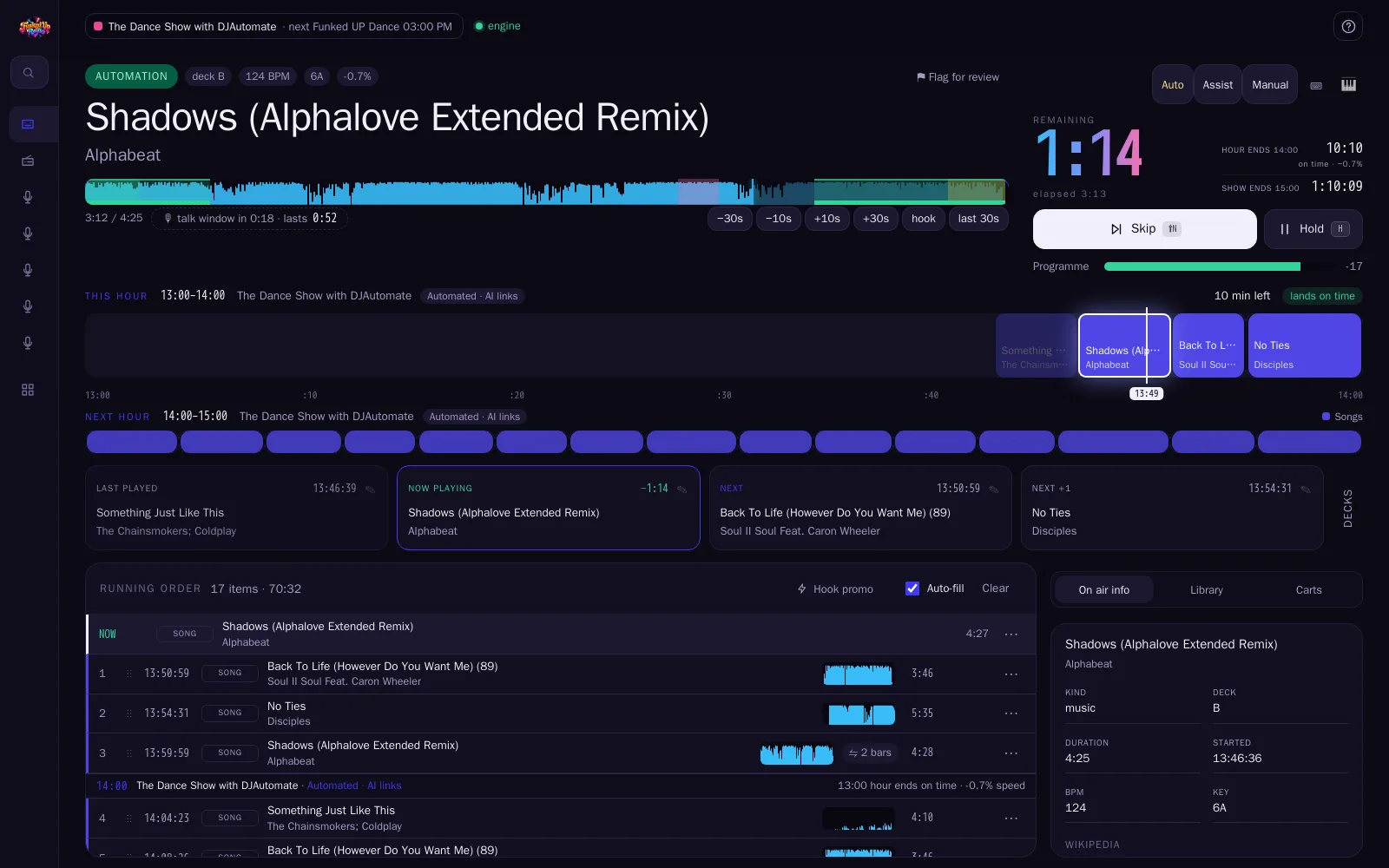
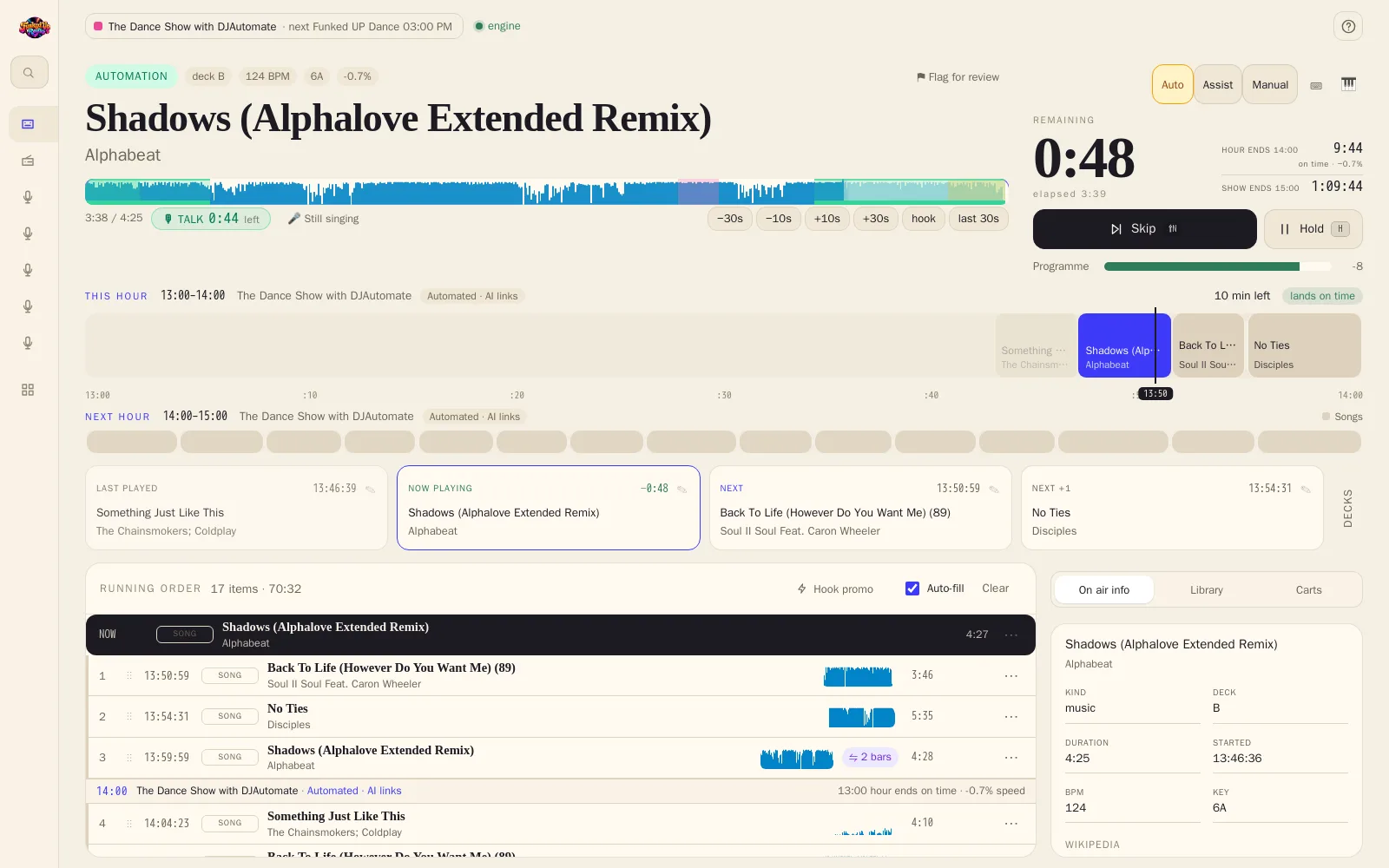
Dark or light, picked with one tap. Tape is the on-air look: deep ink, glowing colours and a big countdown you can read from across the room. Daylight is warm paper and ink for bright offices and daytime shifts.

The new Playout desk in the Tape theme: a big song title, waveform, a large countdown, and the hour drawn as a tape of coloured blocks
Tape – the playout desk after dark.
The same Playout desk in the Daylight theme: cream paper background, serif song title and the same tape of the hour
Daylight – the same desk, on paper.

Your station's own colour still comes through in both. These are real screens from Funked up radio's console.

The big idea

See the whole hour at a glance

Above the running order is the hour as a tape: this hour and the next, drawn to scale from what's playing, what's queued and what the planner has lined up. Songs, links, adverts and jingles each have their own colour, and the line that moves across it is now.

  • Lands on time, or doesn't – you can see an hour running long or short before it matters.
  • Click a block to jump to that item in the running order.
  • A thin strip in the Log shows every hour the same way.
  • A big, readable countdown and the title front and centre; the details sit quietly around them.
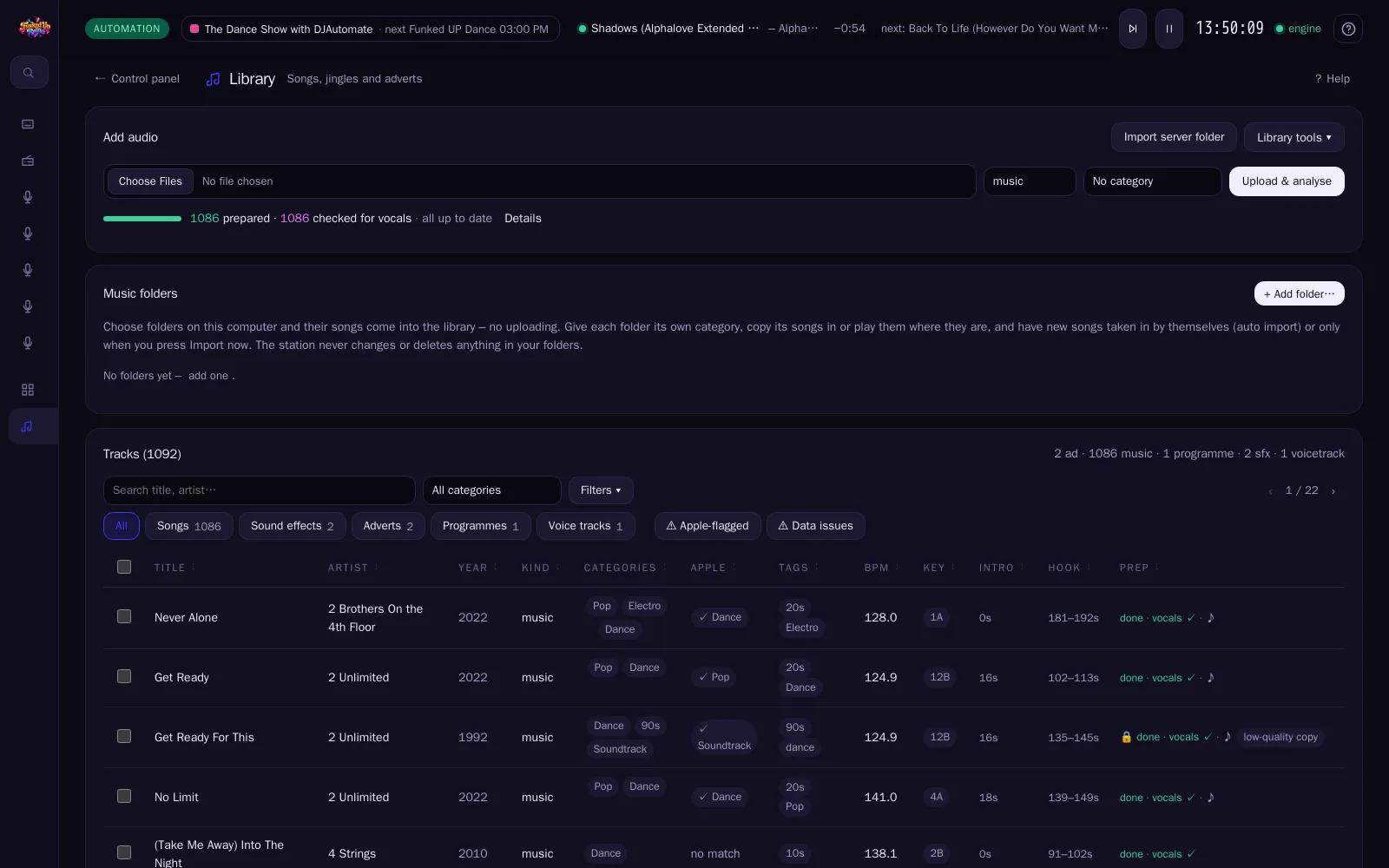
The new Library page in the Tape theme: add audio, music folders and a track table
The whole console follows – here the Library.

Every page, one style

Calmer menus, a tidier control panel

The side menu folds down to a slim icon rail that opens when you reach for it, giving the desk more room. The control panel keeps the attention strip and your pinned pages at the top, then everything else in groups.

  • Classic is still there. A switch in the sidebar flips between the original console and the new one – per person, per computer.
  • Dark and light both designed, not just inverted.
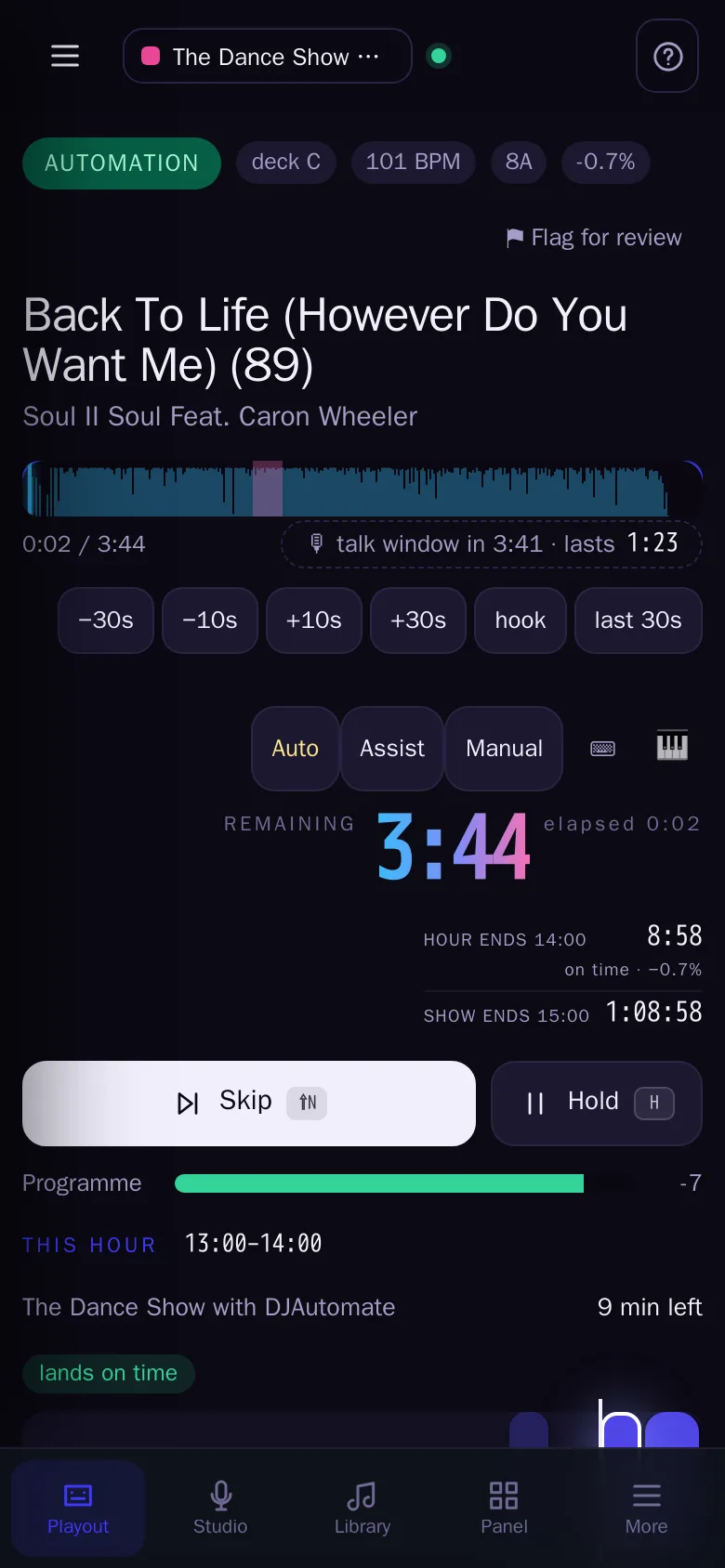
  • Phone friendly: playout, studio, library, panel and more sit on a bottom bar.
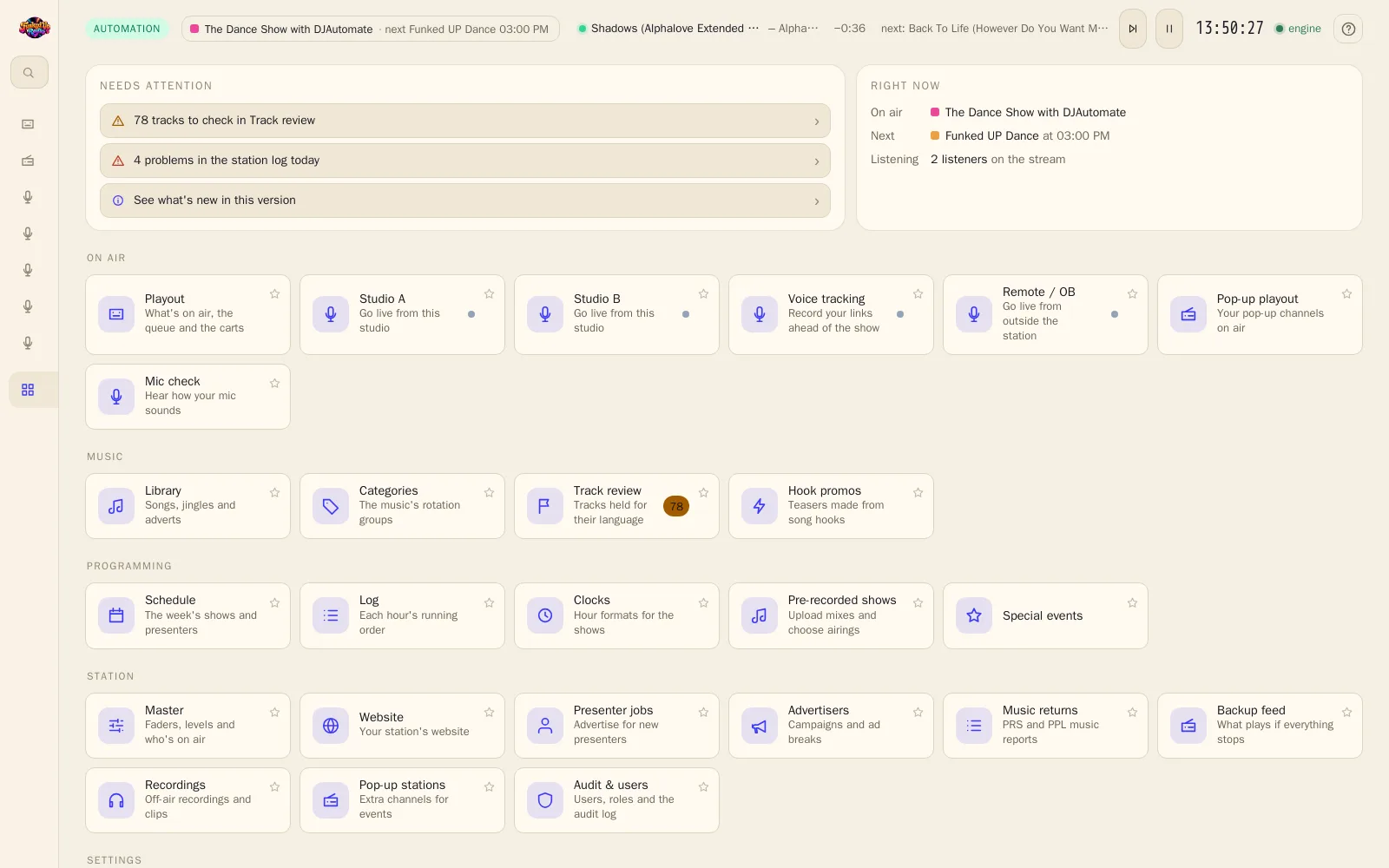
The new Control panel in the Daylight theme: a needs-attention strip, right-now card and tiles grouped as On air, Music, Programming and Station
The Control panel in Daylight.
The new Playout desk on a phone

Where it's up to

Honest status: in beta, getting better each update

The new desk is in every Stationhand console as a beta, and it's being finished page by page. The original console stays the default – each person chooses for themselves, on each device.

Running now

Playout, Library, Log and Control panel in Tape and Daylight, the hour tape, the icon rail and the Classic/New switch.

Still to come

A tidy-up of the remaining pages, a better phone playout, dragging blocks on the tape to reorder, and zooming from the hour out to the day and week.

Want a look?

Switch to New in your console – or try it on our live demo. Tell us what you'd like to see – we read every message.